Evaluating the Hazy Image Effect for Photoshop
When selecting digital assets for creative projects, designers often weigh the efficiency of pre-made effects against the time investment of building them from scratch. The Hazy Image Effect for Photoshop represents a specific category of post-processing tools designed to simulate atmospheric diffusion, soft focus, and ethereal lighting. Understanding the technical specifications and practical applications of this asset is essential for determining whether it aligns with current project requirements or if alternative methods would yield better results.
Understanding the Asset Specifications
Before integrating any third-party effect into a professional workflow, it is necessary to evaluate its technical foundation. This specific hazy image effect is configured at 3600 x 2400 pixels with a resolution of 300 DPI. These dimensions are significant because they support high-quality print outputs as well as standard digital displays. The 3:2 aspect ratio is native to many DSLR and mirrorless cameras, reducing the need for cropping or resizing when applying the effect to standard photography.
The file operates in RGB color mode, which indicates it is optimized for screen-based media and digital printing workflows rather than CMYK offset press. Users working exclusively in traditional print production should verify color space compatibility before purchase. The package includes a single PSD file compatible with Adobe Photoshop CC or higher versions. This version requirement ensures support for modern smart objects and adjustment layers, but it may exclude users relying on legacy CS6 or earlier software.

Workflow Efficiency and Layer Organization
The primary value proposition of this Image Effect for Photoshop lies in its layer architecture. Rather than applying destructive filters directly to an image, the effect utilizes clearly organized and labeled layers. This non-destructive approach allows for granular control over opacity, blending modes, and masking. For designers managing tight deadlines, this structure eliminates the trial-and-error phase typically associated with recreating complex atmospheric effects manually.
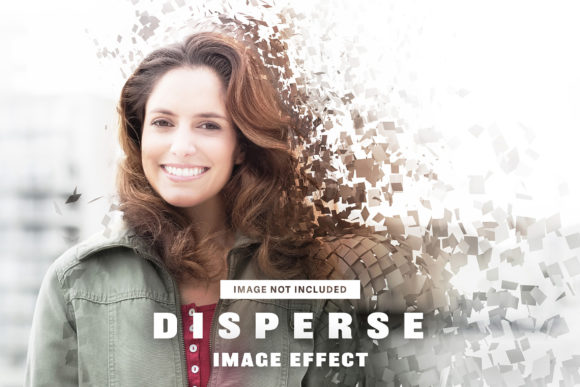
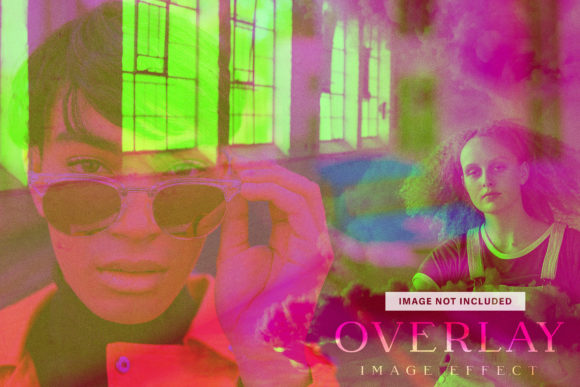
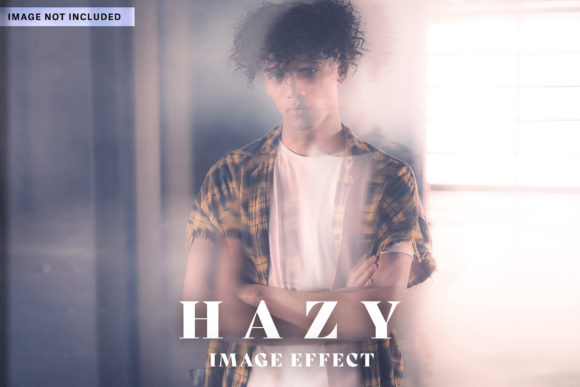
Customization is facilitated through placeholder images that can be replaced with user artwork or text. However, it is important to note that the placeholder images themselves are not included in the final files. This distinction matters for licensing and expectation management; the asset provides the mechanism for the effect, not the stock photography used to demonstrate it. Users must supply their own base imagery, meaning the final aesthetic depends heavily on the contrast and composition of the source material.
Evaluating Customization Capabilities
While the effect is marketed as easy to customize, the actual flexibility depends on the user’s proficiency with Photoshop’s layer styles and masking tools. The organized layers allow for:
- Adjusting haze density without affecting underlying image sharpness
- Modifying color grading within the effect stack independently
- Selectively masking areas to preserve focal points
- Toggling individual effect components on or off
This modularity distinguishes premium effects from simple overlay textures. A flat PNG overlay offers limited adjustment, whereas this PSD-based system permits integration with existing editing workflows. Designers should assess whether they need this level of control or if a simpler solution would suffice.
Situations Where This Effect Excels
Certain creative contexts benefit disproportionately from atmospheric effects. The hazy aesthetic serves functional purposes beyond mere decoration. In portrait retouching, controlled diffusion can soften skin texture and reduce the appearance of blemishes without the artificial look of aggressive blurring. For editorial layouts, the effect creates negative space and visual hierarchy by pushing background elements back while maintaining foreground clarity.

Product photography also benefits from this treatment when aiming for lifestyle or mood-driven presentations. The haze adds depth to otherwise flat studio shots, creating environmental context without requiring elaborate set design. Additionally, social media content creators working at scale may find the consistency of a reusable PSD template more reliable than applying manual adjustments across dozens of images.
Tradeoffs and Limitations to Consider
No single effect suits every scenario, and recognizing limitations prevents frustration during production. The fixed 3600 x 2400 pixel dimension, while adequate for most uses, may require upscaling for large-format printing or ultra-high-resolution displays. Upscaling can introduce artifacts or reduce the perceived quality of the haze gradient. Users working with panoramic or vertical formats will need to crop or extend the canvas, potentially altering the intended composition of the effect.
The RGB-only specification limits direct application in CMYK print workflows. While conversion is possible, color shifts may occur, particularly in the subtle gradients where haze effects live. Professional print designers should test conversions before committing to this asset for press-ready materials. Furthermore, the reliance on Photoshop CC excludes users of alternative software like Affinity Photo or GIMP, even though those platforms support PSD files to varying degrees. Compatibility is not guaranteed outside the Adobe ecosystem.
Another consideration is stylistic specificity. Hazy effects carry distinct connotations—dreaminess, nostalgia, mystery—that may conflict with brands requiring crisp, clinical, or high-contrast aesthetics. Applying atmospheric diffusion to technical diagrams, corporate headshots, or product detail shots can undermine clarity and professionalism. The effect enhances mood but compromises information density.
Comparing Alternatives and Decision Factors
Designers evaluating this Image Effect for Photoshop should compare it against three alternatives: manual creation, brush-based overlays, and AI-powered tools. Building haze manually using gradient maps, gaussian blur, and layer masks offers unlimited customization but requires significant time and expertise. For one-off projects, manual creation may be more economical than purchasing a dedicated asset.
Brush-based overlays provide faster application but often lack the integrated adjustment layers found in this PSD template. They function as static textures rather than dynamic effects, limiting post-application refinement. AI tools like Neural Filters offer automated haze generation but may produce inconsistent results across different images and lack the precise layer control of a manually constructed PSD.

Making the Final Determination
The decision to acquire this asset should hinge on three questions:
- Frequency of use: Will this effect be applied regularly enough to justify the cost versus manual creation time?
- Technical compatibility: Do the dimensions, color mode, and software requirements match your current workflow?
- Aesthetic alignment: Does the hazy style serve your project’s communication goals, or does it merely add visual noise?
If the answer to all three is affirmative, this Image Effect for Photoshop likely represents a sound investment. The organized layer structure and high resolution suggest professional-grade construction suitable for commercial work. However, if your needs are occasional, your output is primarily CMYK, or your aesthetic demands absolute clarity, alternative approaches may deliver better outcomes.
Ultimately, digital assets should accelerate production without compromising creative intent. Evaluating this hazy effect through the lens of practical workflow integration rather than promotional claims ensures that any acquisition supports genuine project needs. Test the asset against real project files when possible, verify layer compatibility with your specific Photoshop version, and confirm that the resulting aesthetic aligns with client expectations before incorporating it into deliverable work.