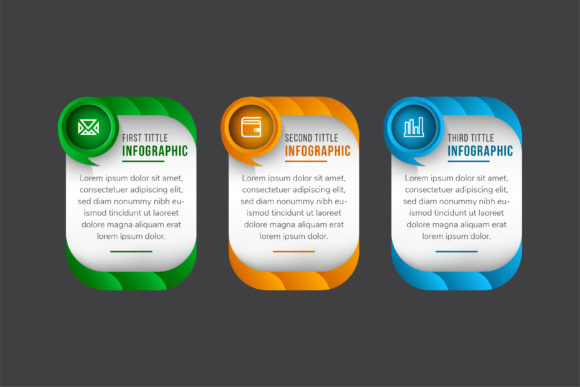
Three Option Infographic Template for Visual Clarity
In a digital landscape saturated with dense text and complex data, the ability to distill information into digestible visual chunks is a superpower. Whether you are pitching a new service tier, explaining a workflow, or comparing product features, the human brain processes structured visuals significantly faster than paragraphs of copy. This is where a dedicated Three Option Infographic Template becomes an essential asset in your design toolkit. Rather than starting from a blank canvas or wrestling with misaligned shapes, this vector-based resource provides a professional foundation for presenting choices, steps, or comparisons with immediate impact.
The "rule of three" is a fundamental principle in communication and design because it offers enough variety to be interesting without overwhelming the audience. By utilizing a pre-structured layout featuring three distinct columns or sections, you leverage cognitive psychology to make your content more memorable. This template is specifically engineered to facilitate that balance, offering a clean, organized framework that guides the viewer’s eye naturally from left to right or top to bottom.
Vector Precision and Professional Quality
One of the primary frustrations designers and marketers face when using stock graphics is pixelation. Nothing undermines credibility faster than a blurry chart on a high-resolution display or a printed banner. This Three Option Infographic Template addresses that issue head-on by providing 100% vector graphics. Because the artwork is mathematically defined rather than pixel-based, you can scale it from a business card size to a massive trade show backdrop without losing a single ounce of clarity.
The files are delivered at 300dpi, ensuring crisp edges and vibrant colors across all mediums. For professionals working in Adobe Illustrator, the inclusion of AI and EPS formats means every anchor point, gradient, and shape is fully accessible. You aren't just pasting an image; you are inheriting a layered, well-organized design file. The SVG format further extends utility for web developers who need lightweight, scalable graphics that load instantly and remain sharp on retina screens. This technical versatility ensures the template serves as a long-term resource rather than a one-off solution.
Streamlining Workflow and Customization
Efficiency is the backbone of modern content creation. When you have a deadline looming, spending hours aligning rectangles or searching for matching icons is a poor use of time. This template excels because it is meticulously organized. Layers are named logically, groups are structured intuitively, and elements are easy to isolate. This level of organization reduces the friction between having an idea and executing it visually.
Customization goes beyond simple color swaps. While the template includes preset palettes like blue, green, orange, and brown to suit various brand identities, every aspect is editable. Text areas are designed to accommodate varying character counts without breaking the layout, and shapes can be resized or reshaped to fit specific needs. If your process requires four steps instead of three, the modular nature of the vector elements allows you to duplicate and adjust sections seamlessly. This flexibility transforms a static template into a dynamic design system that adapts to your specific narrative.
Practical Applications Across Industries
The utility of a three-column layout extends far beyond generic presentations. Different sectors can leverage this Three Option Infographic Template to solve specific communication challenges:
- SaaS and Tech Companies: Pricing tables are perhaps the most common use case. Clearly delineating Basic, Pro, and Enterprise tiers with checkmarks and feature lists helps potential customers self-select the right plan. The template’s built-in iconography makes feature comparison instant and intuitive.
- Marketing Agencies: Use the layout to showcase service packages or explain a three-phase campaign strategy. Visualizing "Research, Execute, Analyze" builds client confidence by demonstrating a structured approach to problem-solving.
- Educators and Trainers: Complex concepts often boil down to three core pillars. Whether teaching safety protocols, historical periods, or scientific methods, a visual triad aids retention. The vertical or horizontal flow options allow instructors to adapt the graphic to slide decks or handouts effortlessly.
- E-commerce and Retail: Product comparisons benefit immensely from side-by-side layouts. Highlighting material quality, warranty terms, or shipping options in a clean grid reduces decision fatigue and can directly influence conversion rates.
- Corporate Internal Comms: HR departments can visualize employee benefits, onboarding steps, or company values. A polished infographic feels more engaging than a memo and signals that the organization values clear communication.
Enhancing User Experience and Engagement
Beyond aesthetics, using a structured template improves the functional user experience (UX) of your content. In web design, large blocks of text increase bounce rates. Breaking content into labeled, icon-supported sections creates natural pause points that encourage scrolling and reading. The Three Option Infographic Template acts as a visual anchor, signaling to the user that important, summarized information is available.
For social media and digital advertising, these graphics serve as high-engagement assets. Carousel posts on LinkedIn or Instagram that break down a topic into three slides perform exceptionally well because they offer bite-sized value. The template’s bold typography and clear hierarchy ensure readability even on small mobile screens. When used in email newsletters, such graphics break up promotional copy and drive higher click-through rates by making calls-to-action prominent within each option column.
Selecting and Implementing Your Design
When integrating this template into your projects, consider the context of your audience. While the template offers vibrant color options, always defer to your brand guidelines. Consistency builds trust. If your brand uses muted tones, adjust the template’s bright greens or oranges to match your corporate palette. Similarly, pay attention to iconography. The included icons are versatile, but if your niche is highly specialized, swapping them for industry-specific symbols will enhance relevance.
Also, think about accessibility. High contrast between text and background is non-negotiable. Ensure that any color adjustments maintain WCAG compliance so that visually impaired users can still engage with your content. Alt text should describe the information conveyed in the infographic, not just the visual appearance. Since the template includes editable text, you have full control over font sizing and spacing to meet accessibility standards.
Finally, remember that the template is a vessel for your message, not the message itself. Keep copy concise. The power of a three-option layout lies in its brevity. If you find yourself writing paragraphs inside each column, you may be defeating the purpose. Edit ruthlessly to ensure the visual structure enhances comprehension rather than competing with it.
A Versatile Asset for Modern Creators
Investing in high-quality design resources is an investment in your professional reputation. The Three Option Infographic Template bridges the gap between custom illustration and DIY design, offering agency-level polish with freelance-level efficiency. Its combination of vector scalability, organizational clarity, and broad applicability makes it a staple for anyone tasked with visual communication.
Whether you are creating a pitch deck, updating a website, or designing educational materials, having a reliable, editable framework saves time and elevates output. The included AI, EPS, JPG, and SVG files ensure you are prepared for any platform or print requirement. By leveraging the psychological power of threes and the technical precision of vector art, you can transform complex information into clear, compelling visuals that resonate with your audience.